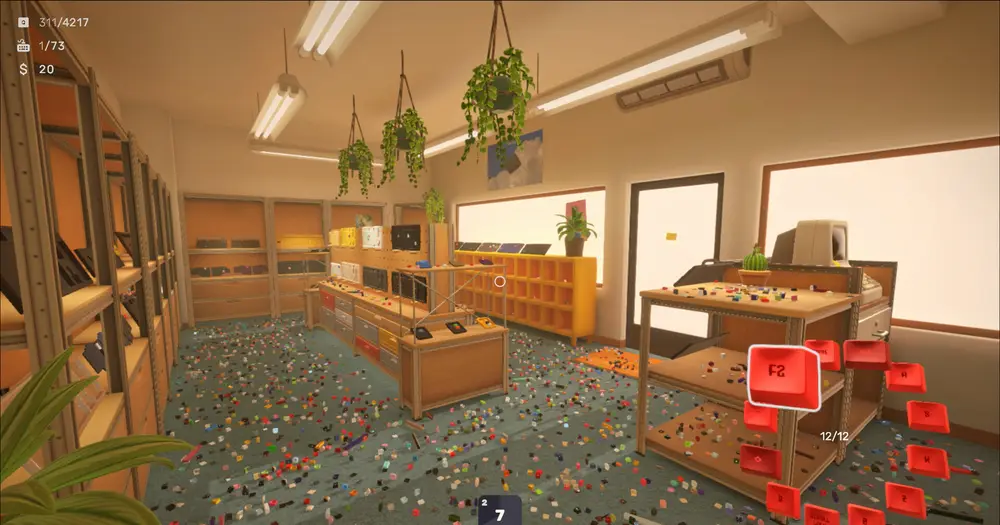
Keycap: Tidy Up! quick specs
- Estimated time to 100%: 8-12 hours
- 100% difficulty: 5/10 (moderate)
- Playthroughs needed: 2 playthroughs
- Missable achievements: None if planning saves
- Total achievements: 8
In this guide I break down all 8 Steam achievements in Keycap: Tidy Up! so you can plan your run properly. It is a cozy, tactile sorting game where you organize thousands of tiny mechanical keyboard parts at your own pace. Looking at the achievement list at a glance, it is a mix of natural progression milestones and a couple of tricky stipulations. You will spend most of your time sorting through thousands of pieces and placing them onto boards.
Keycap: Tidy Up! achievement guide overview
| Developer | weeooson |
|---|---|
| Publisher | weeooson |
| Genre | Casual, Indie |
| Release date | Nov 16, 2026 |
| Platforms | Windows, macOS, Linux |
| Steam achievements | 8 |
| Steam page | Keycap: Tidy Up! on Steam |
My honest read on this completion is that it will take some serious patience due to the sheer volume of sorting required. The difficulty mostly stems from one specific challenge that requires you to finish the game without buying any upgrades. There are no hidden achievements to worry about, but you should keep an eye on how you spend your currency if you want to optimize your playthroughs. Since you need both a clean run without upgrades and a fully maxed-out run, you are looking at managing your saves carefully.
My roadmap guide for Keycap: Tidy Up!
To get every achievement efficiently, your biggest decision is how to handle the upgrade-related goals. You have an achievement for buying your first upgrade, one for buying them all, and a brutal one for beating the game without buying any at all. Naturally, you cannot unlock all upgrades and do a zero-upgrade run in the exact same save file unless you can separate your playthroughs. Plan on doing one normal run where you buy everything and another restricted run, or check if you can manage multiple saves.
Tackling the grindiest achievements
Completing all keyboards is by far the longest part of this completion. You are sorting through over 4,000 unique keycaps, matching fonts, colors, and materials. Fully Modded requires buying every upgrade, which means farming enough in-game currency through sorting. Expect to spend a lot of time clicking and listening to satisfying mechanical keyboard sounds while you clear the shop inventory.
Handling quirky and missable goals
Close Enough requires you to fill a case completely with no cap in its right place. This is a fun distraction that asks you to deliberately fail an organization puzzle. Master Keycap Placer is your hardest hurdle because you must complete the entire game without buying any helpful workflow upgrades like inventory expansion or magnetic pulls.
All 8 Keycap: Tidy Up! achievements

First Click!
Place your first correct cap
91.9% of players
You will grab this right away as part of the basic tutorial. It is impossible to miss if you play the opening minutes.

First Keyboard!
Complete your first keyboard
69.1% of players
Just finish your very first board to pop this one. It serves as your introduction to the core sorting loop and is completely unmissable.

Intermediate Keycap Placer
Complete 10 keyboards
33.2% of players
Completing ten keyboards requires a bit of time, making this a moderate milestone. Expect it to come naturally as you settle into the organizing flow.

Advanced Keycap Placer
Complete all keyboards
5.5% of players
Finishing all the keyboards is your main long-term goal. This is a noticeable time investment since you are sorting thousands of caps, but it is strictly progression-based.

Upgraded
Buy your first upgrade
52.2% of players
Buying your first upgrade happens early once you earn enough currency from sorting. Check the shop after completing a couple of boards and grab whatever is cheapest.

Fully Modded
Buy every upgrade
15.4% of players
Buying every upgrade requires a significant grinding session for currency. You will need to keep sorting keyboards long after finishing the main content to afford the final items.

Master Keycap Placer
Complete the game without buying any upgrades
0.7% of players
This is a brutal challenge run where you must beat the entire game without buying a single upgrade. I recommend saving this for a dedicated second playthrough once you know how the shop economy works.

Close Enough
Fill a case complete with no cap in its right place
15.9% of players
You need to fill an entire case while deliberately placing every single keycap in the wrong spot. It is a funny little diversion that you can knock out on any standard board whenever you feel like messing around.
Frequently asked questions
How many achievements are in Keycap: Tidy Up?
There are 8 achievements to unlock in total. They cover basic progress, buying upgrades, and a few specific challenge conditions.
What is the hardest achievement?
Master Keycap Placer is widely considered the hardest because it forces you to beat the game without purchasing a single upgrade.
Are there any missable achievements?
Nothing is strictly missable if you plan your save files correctly, but you will need separate runs or saves to handle both the zero-upgrade and full-upgrade requirements.
How long does it take to 100 percent the game?
It will likely take around 8 to 12 hours depending on how fast you can sort through thousands of keycaps and manage the restriction runs.
Are there any multiplayer achievements?
No, this is a strictly single-player cozy sorting experience with no multiplayer or co-op modes.
Final thoughts on this guide
That wraps up this guide. Happy sorting, take your time with the tiny pieces, and enjoy those satisfying clicks.
Steam and the Steam logo are trademarks and/or registered trademarks of Valve Corporation in the U.S. and/or other countries. Steam Insider is an independent guide and is not affiliated with, sponsored by, or endorsed by Valve Corporation.